 Cadsense
 Onshape
 SolidWorks
 Claude Code
 Codex
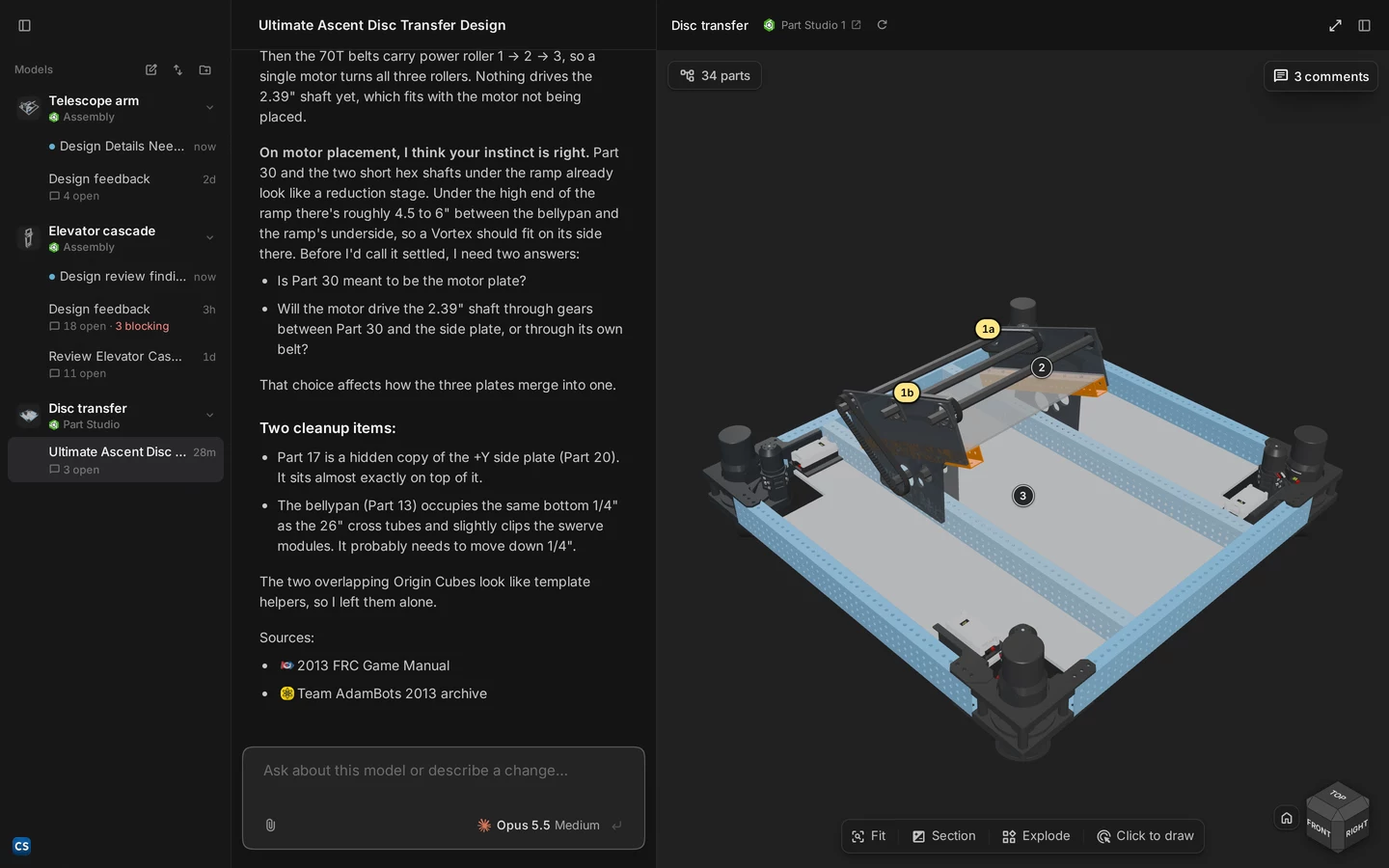
Four findings on a cascade. Click one and the camera goes there.
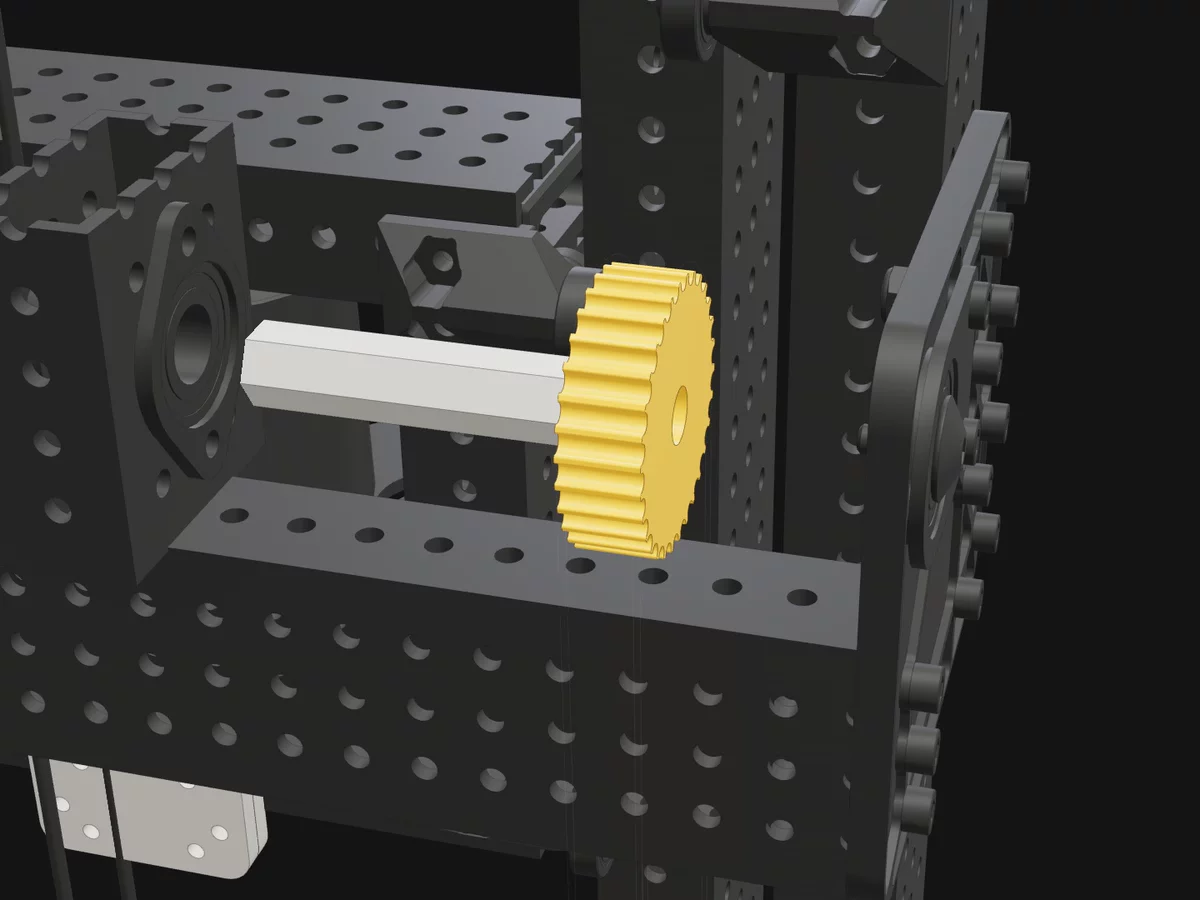
This is how a review reads in the app. Each comment sits on its part, and anything in the way is ghosted out.
 15a14a14b1a6
From first sync to design review. A first pass on every revision, before your mentor sees it.
01
Every comment lands on the exact part
Click a comment and the camera goes there, with anything in the way ghosted out. Each one is rated blocker, concern, question or nit, so you know what to fix first.
How comments are rated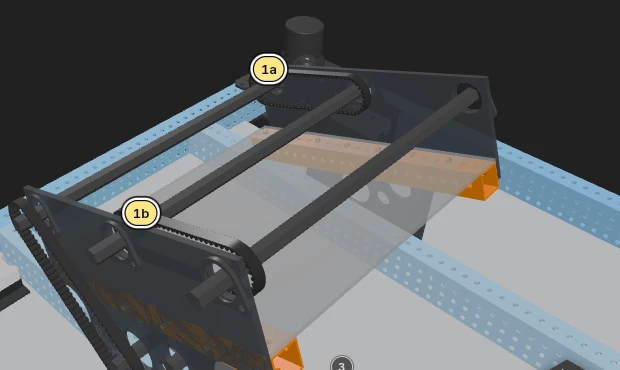
02
Argue with it, and it remembers
Resolve, discuss or dismiss each comment. Discuss starts a chat about it. A dismiss reason becomes a rule every later review reads, so the same false alarm doesn't come back.
What happens to a wrong comment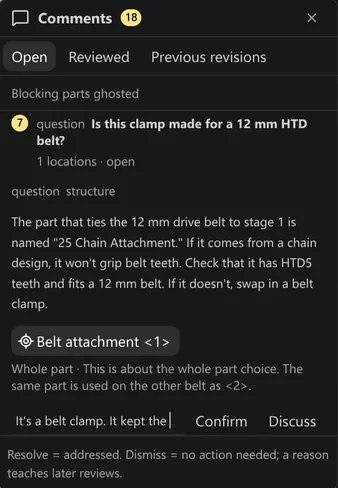
03
It drives the viewer itself
The agent finds parts, ghosts and isolates them, cuts sections, explodes the assembly and measures gaps. It posts a thumbnail of each view it checked.
Which CAD it reads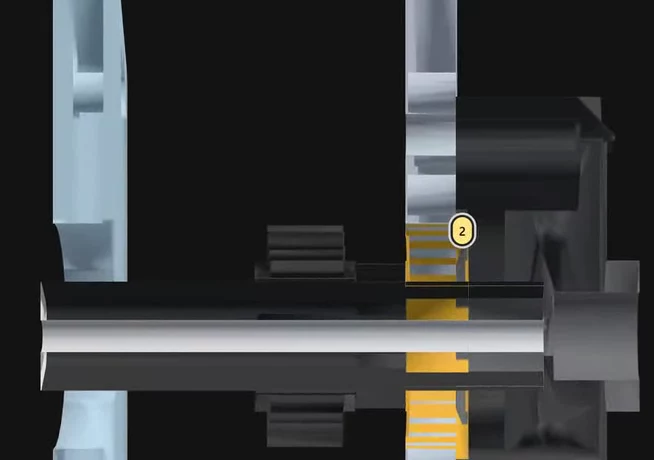

04
Review reads CAD. Cadsense also writes it
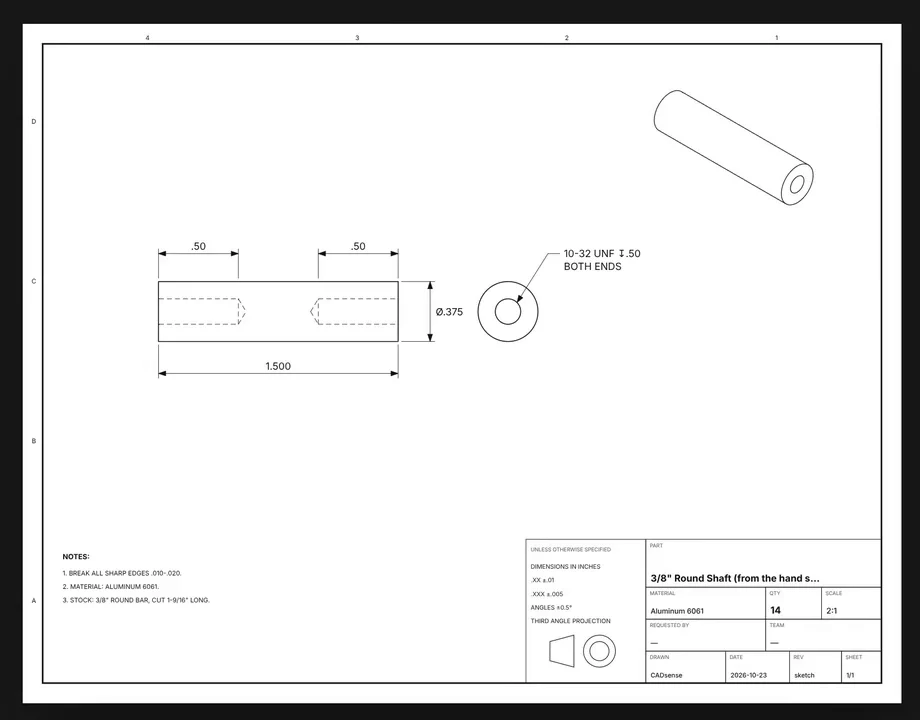
Pick a part and get a drawing sheet with views, dimensions and hole callouts. Right-click a plate and Cadsense plans its router cuts, with a timeline you can play and a DXF to export.
What comes next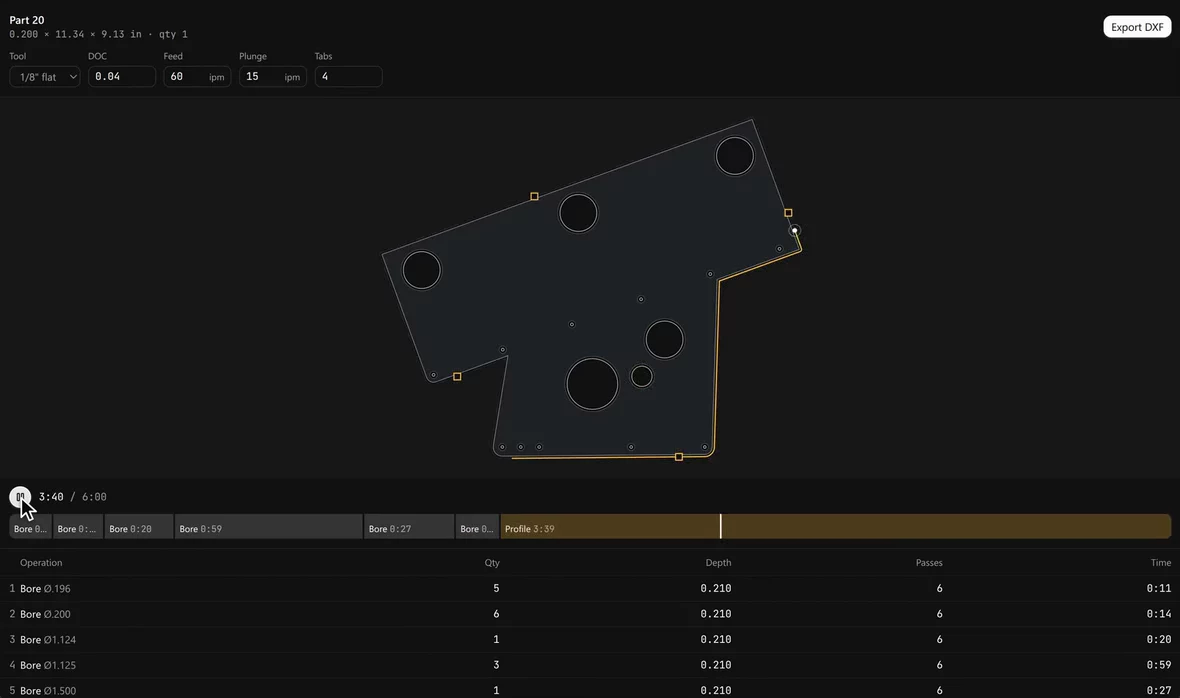
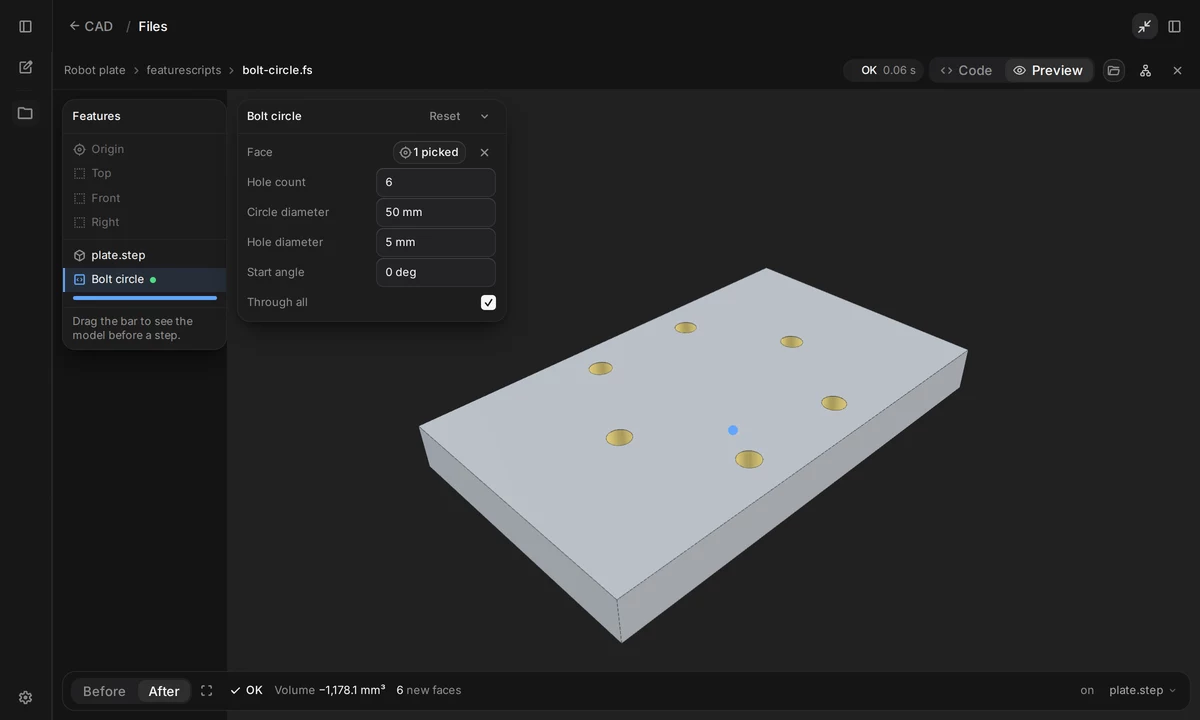
FeatureScript the agent can run. It tests what it writes before anything touches Onshape.
Cadsense runs FeatureScript locally on Onshape's own standard library. Any .fs file in a project gets a live preview with Onshape-style inputs, and it updates right away.
A first pass, not a replacement. Your mentor's hours go to the hard calls.
Every revision takes a mentor hours to review by hand. Cadsense does the first pass on each one.
Sync a new revision and Cadsense looks at what it flagged first, then reviews only what changed.
Comments on parts that moved or got deleted are marked outdated, and it can propose resolving the ones you fixed.
Each part is checked against your design standards and earlier comments, not a generic list.
The same viewer loads a full competition robot. The one in the launch post has 1,362 components.
Coming soon. Feedback grounded in what other teams built.
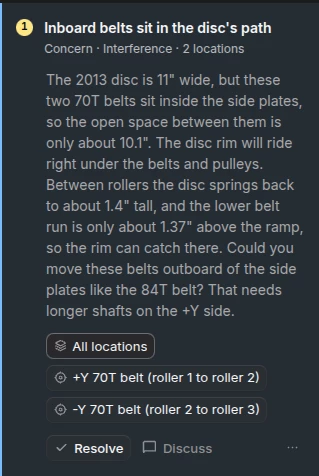
The reviewer will draw on FRC RAG, which answers from 64 technical binders written over 10+ years of FRC. When it flags a problem, it will show how other teams already solved it.
How have teams made an efficient transfer to bring balls from an intake to a shooter?
Reasoned for a few seconds
How teams typically transfer power cells from an intake to a shooter
“The 694-2020 design shows the intake itself – a roller-based system that feeds balls into an indexer. The transfer from that indexer to the shooter is a natural extension of the same principles.”
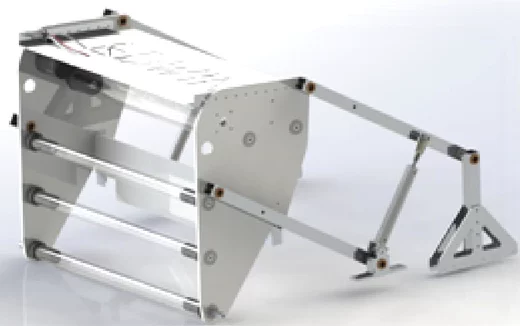
- rollers + polycarbonate plates
- four-bar linkage that deploys the intake 1
Below is a practical, step-by-step guide that many teams use (or can adapt) to make this transfer efficient, reliable, and easy to tune.
1. Design Overview
FAQ
What is Cadsense?
A desktop app for FRC teams. Claude Code or Codex reviews your CAD the way a mentor would, and pins each comment to the exact part.
Does it need another AI subscription?
No. Reviews run on the Claude Code or Codex plan you already have, including ChatGPT's free tier.
Which CAD does it read?
Onshape documents, SolidWorks parts and assemblies, and STEP files. Onshape syncs through the Onshape API, SolidWorks opens in the copy already on your computer, and STEP opens from disk.
How are comments rated?
Blocker, concern, question or nit. A blocker means fix it before you cut. A nit is a small cleanup.
What happens when we change the design?
Sync the new revision. Cadsense checks whether the problems it flagged were fixed, then reviews only what changed.
What if a comment is wrong?
Dismiss it with a reason. The reason becomes a rule every later review reads, so the same false alarm doesn't come back.
Run it before your next design review. Point it at the revision you're about to show your mentor.
A desktop app for FRC teams. Runs on the Claude Code or Codex plan you already have, including ChatGPT's free tier.